 Fadeo/macOS 14+/v0.4.0
The right sound
for what you're doing, automatically.
Fadeo watches the app in front of you, the desktop you're on, and whether you're in a meeting or heads-down — then plays, fades or switches audio to match. Rules you define, down to the second.
- idle cpu
- ~0%
- polling
- none
- system volume
- untouched
Four ordered bands, every time, no surprises.
- 01
Override
Any workspace marked as an override that matches pre-empts everything else. "Meetings" pausing audio unconditionally is the canonical example.
- 02
Candidates
Every enabled, non-override workspace whose rules currently hold becomes a candidate. Usually there's one. Sometimes several apps overlap.
- 03
Tiebreak chain
When more than one candidate matches, an ordered chain narrows it to one: stickiness, specificity, priority, recency, stable order. You control the order.
- 04
Fallback
Nothing matched. Keep the current audio, resume whatever played before, or fade to silence. Your call, set once.
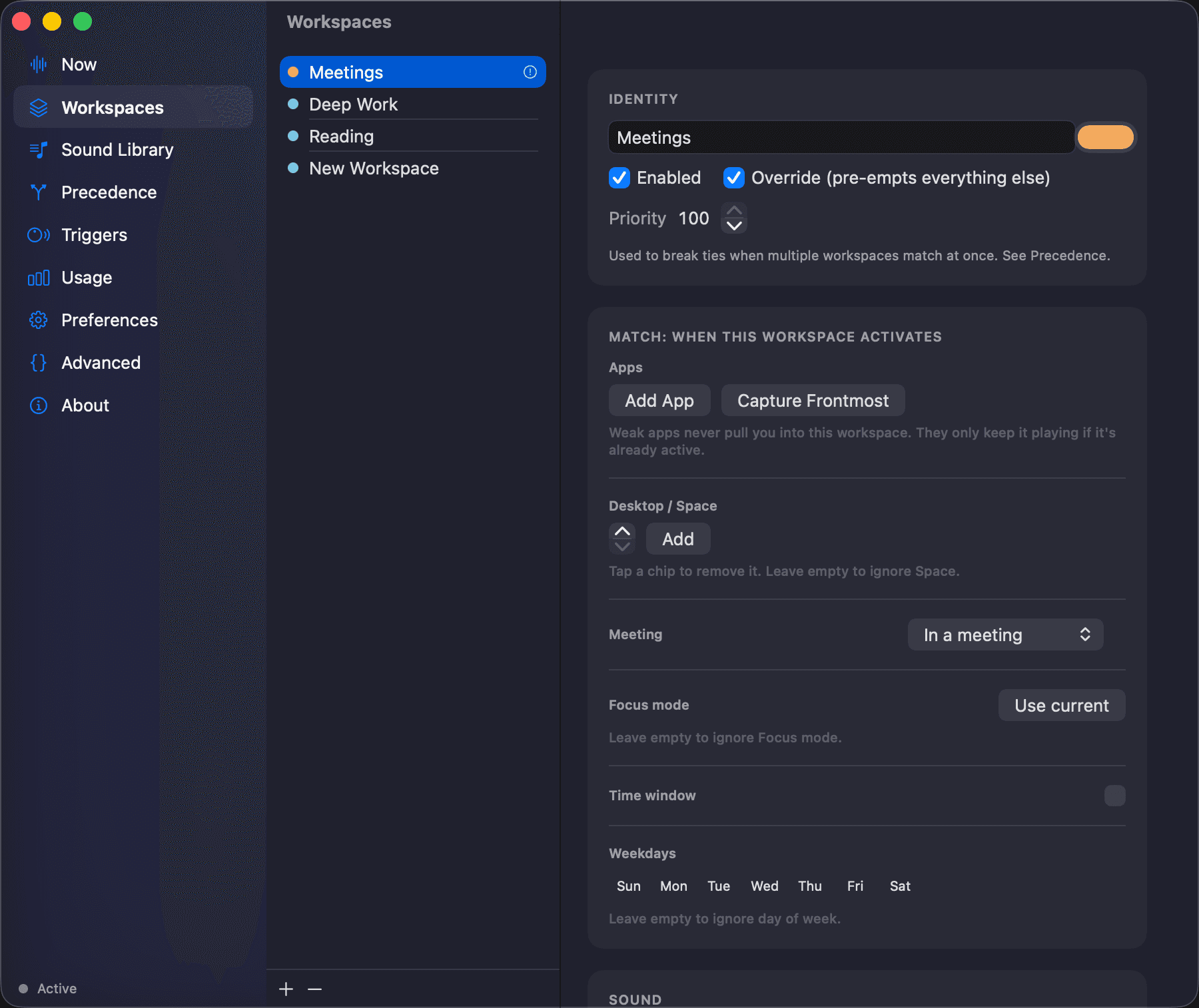
Workspaces
Define what a workspace is: which apps pull you into it, which Space, whether it needs a meeting or a Focus mode, even a time window. Apps can be "weak": they keep a workspace playing but never yank you into it.
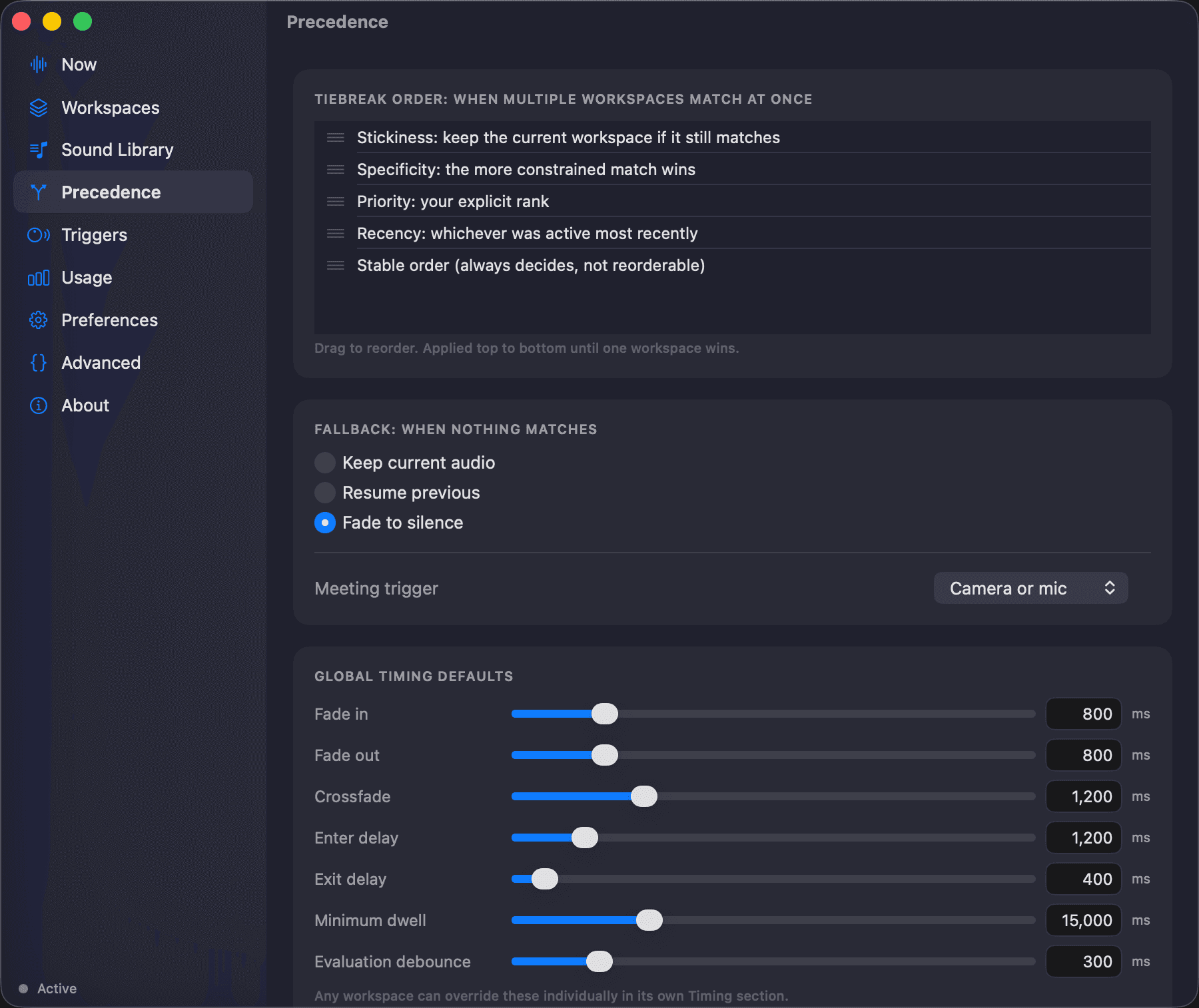
Precedence
The tiebreak chain, the fallback behavior, and global fade timing, all editable, all with real numeric fields, not just sliders you have to eyeball.
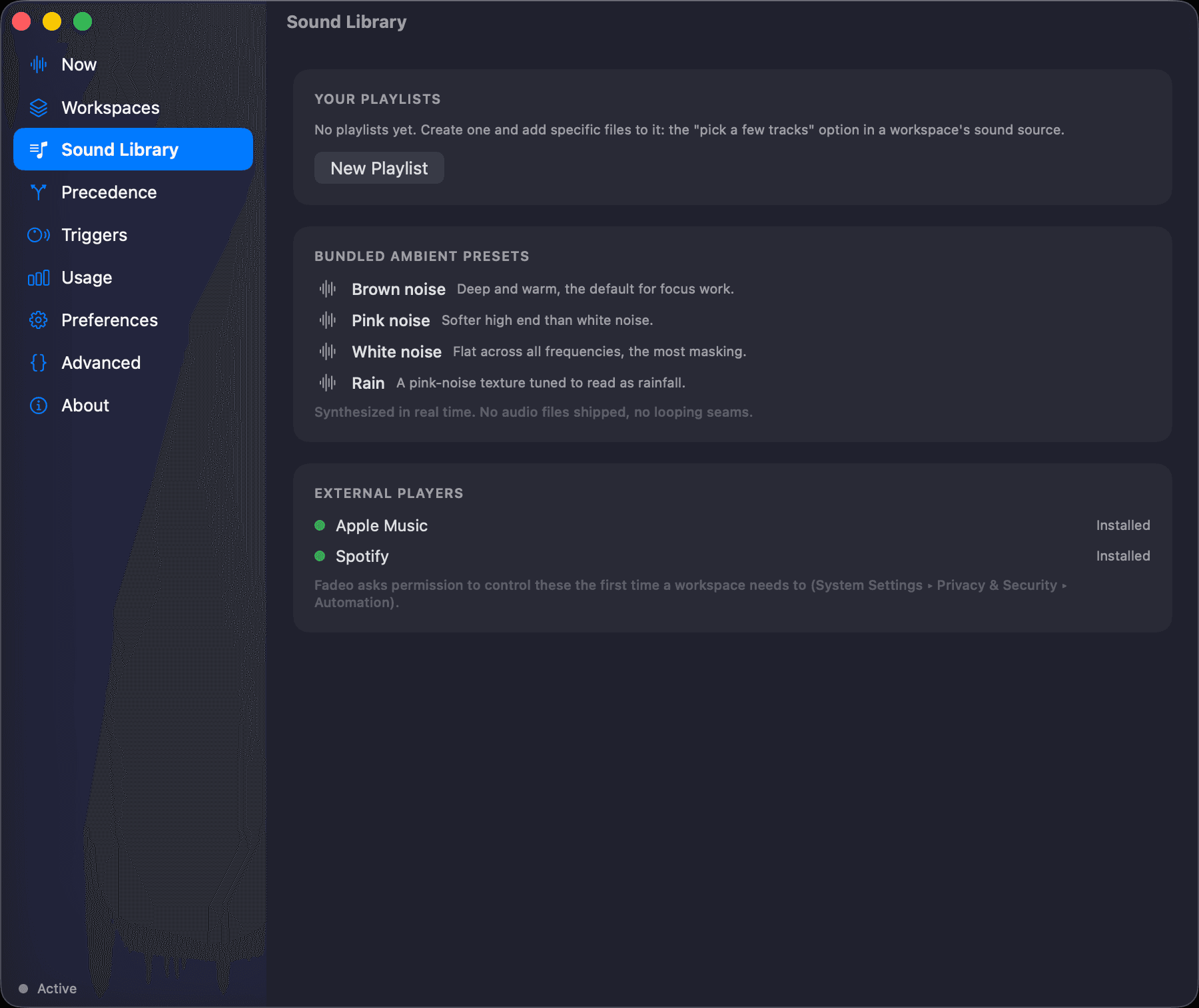
Sound Library
Ambient noise is synthesized on-device in real time. No shipped audio files, no looping seams. Or conduct Spotify and Apple Music directly, including specific playlists.
Pay what you want
$2 minimum · lifetime · one time
Fadeo is fully functional without a license, forever. The license just removes a small, occasional reminder. Pay $2 if that's what you can spare, or more if you use it daily and it feels worth it. Source is GPLv3 — read it, fork it, build it yourself for free.
Get a licenseYour license key arrives by email within a few minutes of purchase. If it doesn't show up, check your spam folder first.
The first 100 people who ask get a lifetime license free, no card required. When they're gone or the window closes, this card disappears and it's back to paying what you want.
Not live right now, check back soon.
Hear when Fadeo
gets better.
An occasional note when there is a real release worth your time. No more than a handful a year, and one reply unsubscribes you.
v0.4.0 ·
Release highlight: Playback that resumes reliably
Play order and repeat mode survive switching and resuming. Paused playback keeps its position across quitting, and an End Session control clears the bookmark and pauses automation. Schedule boundaries crossed during sleep are handled on wake.
Read the v0.4.0 release notes ↗FAQ
How Fadeo fits your Mac.
Practical answers about features, compatibility, pricing, privacy, and installation.
01What is Fadeo for macOS?
Fadeo is a native workflow audio app for macOS. It automatically plays, fades, pauses, or switches audio according to context such as the frontmost app, current desktop Space, meeting activity, Focus mode, or a schedule you define.
02How does Fadeo decide which audio workspace should play?
Fadeo evaluates four ordered bands: matching override workspaces, regular candidates, a configurable tiebreak chain, and a fallback when nothing matches. This deterministic precedence system makes automatic audio behavior predictable and editable.
03How to automatically turn on focus mode?
macOS can automatically enable a Focus at a chosen time, at a location, or while a particular app is open. Apple documents those automations under System Settings, Focus, Set a Schedule.
Fadeo does not need to control Focus itself. It can use the Focus mode that macOS reports as one rule inside an audio workspace, then combine that signal with the active app, desktop Space, meeting state, or time window.
SourcesApple Support: Set up a Focus on MacFadeo source and architecture documentation
04How to make Apple Music switch songs automatically?
Apple Music’s AutoMix and Crossfade settings control how one song transitions into the next. Apple says AutoMix analyzes characteristics such as key and tempo, while Crossfade uses a fixed number of seconds.
Fadeo solves a different automation problem: it can switch the playlist or audio workspace when your Mac context changes. A meeting can pause playback, a coding workspace can start one playlist, and a different Space or app can select another.
SourcesApple Support: Change Playback settings in Music on MacFadeo source and architecture documentation
05How to make Apple Music not transition automatically?
In Apple Music on Mac, open Music, Settings, Playback, then turn Song Transitions off. Apple documents AutoMix, Crossfade, and the option to use no transition between songs.
That setting is separate from Fadeo. Fadeo’s fade timing applies when its rules start, stop, or change an audio workspace; it does not require Apple Music’s between-song transitions to be enabled.
SourcesApple Support: Change Playback settings in Music on MacFadeo source and architecture documentation
06How do I turn off automatic focus mode on my Mac?
Open System Settings, choose Focus, select the Focus that turns on automatically, and disable or remove its schedule. Apple separates time-, location-, and app-based schedules, so check each automation attached to that Focus.
If Focus should remain automatic but should no longer affect sound, leave the macOS schedule in place and disable the corresponding Focus rule or workspace in Fadeo instead.
SourcesApple Support: Set up a Focus on MacFadeo source and architecture documentation
07Does Fadeo constantly poll my Mac in the background?
No. Fadeo uses operating-system events rather than continuous polling and is designed for effectively zero idle CPU use. Context matching and audio decisions happen locally on the Mac.
SourcesFadeo source and architecture documentationApple Support: Activity Monitor User Guide
08Is Fadeo free, or do I need a license?
Fadeo remains fully functional without a license. An optional pay-what-you-want lifetime license, currently with a $2 minimum, removes a small occasional reminder. It is a one-time purchase, not a subscription.
09Is Fadeo open source?
Yes. Fadeo's source code is available on GitHub under GPLv3. You can inspect it, fork it, or build the app yourself for free, whether or not you buy a lifetime license.
SourcesFadeo source and architecture documentationGitHub Docs: Licensing a repository
10What data does Fadeo send from my Mac?
Workflow context and rules stay on your Mac, and Fadeo does not record camera footage, microphone audio, calls, or application content. Limited data is sent only for features you use, such as license activation, an optional diagnostic report, feedback, a free-license email, or the mailing list.